Friends by invite
Make a one-time invite and send it privately; whoever uses it first becomes your friend, on both sides. Invites expire, and you see who redeemed yours.
unverified in game
Dalamud plugin · friends and chat · peer to peer
Light a lantern for your friends
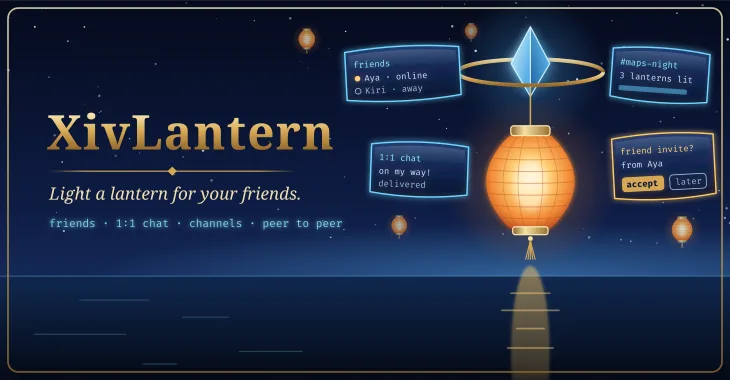
Friends light a lantern to say they are here. /lantern is a friend list of your own, with presence and a note you type, 1:1 chat that waits for a friend who is offline, and channels you make and invite friends into. It runs peer to peer over iroh: there is no Lantern server. It is off until you turn it on, and nothing from the game is ever sent.
released · newer communication work remains experimental. The latest testing build passes native default/optional-feature tests, C# binding tests, core tests and packaging checks. Windows/Wine execution, in-game UI and communication extensions still require acceptance for this build.
A separate chat that draws in game. XivLantern never reads or sends your character's name, world, location or chat, never bridges in-game chat, and never automates or sends a game action. Your friends see the name you type; a test fails the build if the plugin ever asks the game who you are.
The plugin is a thin window over a Rust network layer, lantern.dll, that it carries with it. Friendship is keyed on each node's id, every message is signed by its sender, and nothing is ever accepted for you.
Everything below is built and host-tested; none of it has been observed in game yet.
Make a one-time invite and send it privately; whoever uses it first becomes your friend, on both sides. Invites expire, and you see who redeemed yours.
unverified in gamePresence: online, away, busy or invisible, and a note you type. A server info bar entry shows your unread count.
unverified in gameA message to a friend who is offline goes out when they are next online, and you see when it arrives.
unverified in gameMake a channel for your static or FC and invite friends in. Anyone holding a channel's ticket can join and read it, so keep tickets out of public places.
unverified in gameAnnouncements from the mod's author, signed with a key that never leaves the author's machine and checked before they are shown. Nobody else can post there. You can write back for support, and get an answer.
unverified in gameBlock anyone (they are not told), mute a friend or channel, per-person rate limits that drop floods before they are shown, size limits on every message, and no auto-accept.
unverified in gameToasts for new messages, following your mutes; channel and online toasts are off by default.
unverified in game/lantern selftest checks, inside the game, that the connection works directly and through a relay, and prints what it found. With Lantern off it uses a throwaway node.
XivLantern.v1.GetStatus, GetFriends, SendToFriend, OpenChat and a MessageReceived event. Reading and sending are each refused until you allow them.
Nothing connects until you turn XivLantern on, and its first screen says all of this before you do.
Third-party plugins are against the FFXIV terms of service. XivLantern keeps its exposure small: it never automates a game action and never sends game packets.
Planned shots. Empty frames are placeholders for screenshots and clips that will be captured in game.
Loading the shot list…
Two ways, and both are kept on purpose: one click from the plugin repository, or build it from source and load it as a dev plugin.
Add the repository once; every mod here installs and updates like any other plugin.
https://spacegho.st/mods/ffxiv/plugins.json
/xlsettings → the Experimental tab./xlplugins → All Plugins → search XivLantern → Install.XivLantern has a stable release, so it shows under All Plugins straight away. Nothing in it has been marked verified in game yet; the changelog says which parts are.
Dalamud will warn you that this is a third-party repository nobody but its author has reviewed. That is true. The repository page says more, including how test builds work.
The dev plugin path: exactly the code in your checkout, no repository, no auto-update. It is how the author runs it, and the honest way to read the code before you trust it.
git clone https://github.com/Spaceghost/xivlantern-dalamud
cd xivlantern-dalamud
tools/build-native.sh       # lantern.dll, with cargo and mingw-w64
tools/fetch-dalamud.sh && export DALAMUD_HOME=$PWD/.dalamud
dotnet build src/XivLantern.Plugin/XivLantern.Plugin.csproj -c Release
tools/package.sh # latest.zipx86_64-pc-windows-gnu target and mingw-w64, and the .NET 10 SDK. The author builds in a container, never on the machine the game runs on.latest.zip into a folder of its own./xlsettings → Experimental → Dev Plugin Locations → add the path of that folder's XivLantern.dll (under Wine, a Z:\… path) → + → Save and Close./xlplugins → Dev Tools → Installed Dev Plugins → enable XivLantern. Dev plugins are added disabled./lantern selftest, and please report what it prints.If you later switch to the one-click install, disable the dev plugin first so the two copies cannot fight over the same name. The README has the details.
Screenshots of XivLantern shared by players. Every one is reviewed by the site owner before it is shown here. Every mod's are in the gallery, and what XivLantern should do next is up for a vote.
Loading…
Sharing a screenshot needs a sign-in, so that everything sent to this site comes from an account.
Signing in with FFXIV needs an XIVAuth account and shares no character.
Hide your own name and chat first, and never share a terminal showing tokens or private paths. Metadata is stripped from the image before it is stored. Your upload is linked to your GitHub or XIVAuth account id, which the site owner can see; the public sees only the image and the credit you typed. To have a shot removed, contact the owner through github.com/Spaceghost.
Reviewed . Release availability and live verification are tracked separately.
The latest testing build passes native default/optional-feature tests, C# binding tests, core tests and packaging checks. Windows/Wine execution, in-game UI and communication extensions still require acceptance for this build.
Voted feature queue · Vote on features · Source and build instructions
Privacy. XivLantern connects to nothing until you turn it on. Then it talks to your friends' nodes and, unless you turn relays off, to the iroh relay you chose, which sees your IP address and when you are online but not what you say. It reads and sends nothing from the game. Your keys and messages stay in the plugin's own folder on your machine.
This page is counted, without cookies and without anything that identifies you: what this site counts. It loads nothing from any other site.
Made by Johnneylee Jack Rollins · github.com/Spaceghost. FINAL FANTASY XIV is © SQUARE ENIX; these are unofficial fan plugins and are not endorsed by SQUARE ENIX.