spacegho.st / ffxiv mods

Dalamud plugin · Linux · classic games

XivArcade

Your own classics, in the world, saves in step

For the game running under Wine on Linux: /arcade lists the classic games you own and put in a folder, Final Fantasy first, starts them in RetroArch on your desktop and shows them as panels in the game world. Every save and save state is kept in step across your machines. It downloads no games or BIOS files, and no cover art unless you turn that on.

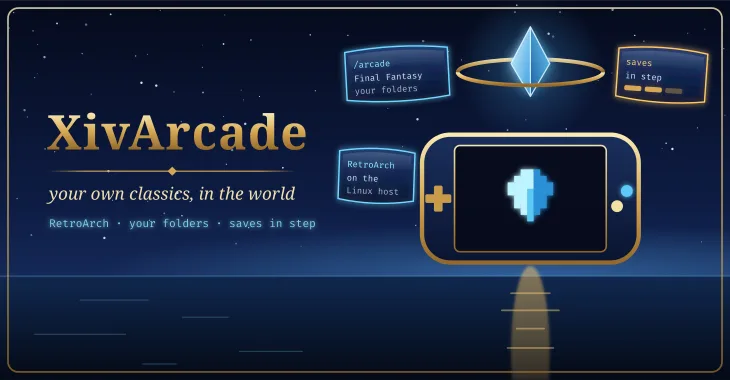
XivArcade: a handheld console with a pixel crystal on its screen, under an aetheryte over a night sea
Honest status

The logic has host-side tests, all run on empty placeholder files: finding which console a file is for, reading a LaunchBox library, multi-disc playlists, name matching, the emulator command for each core, the save-sync rules and the IPC payloads. The host helper's first run has been run on a real Linux machine. Nothing has been observed in the game yet: not the window, a game as a panel, a real emulator, the controller, or saves syncing between two machines. It has a stable release (v0.2.0).

What it does

Bring your own games. XivArcade never downloads, links to or helps find ROMs, disc images or BIOS files. It only reads folders you point it at. Use your own dumps of games you own. Cover art is your own too, unless you turn on the optional cover fetch below.

The plugin holds no game logic. It carries a small helper (Python, standard library only), writes it to your Linux home, and reads the state that helper writes. The helper indexes your folders into SQLite, builds the RetroArch command for the right core, and guards your saves: it checks them before a game starts and sends them on when you close it. It also runs on its own, without the game.

Features

Everything below is built and its logic is host-tested; none of it has been observed in game yet.

A wall of your own covers

/arcade: your covers in a grid, Final Fantasy first, then a shelf per console. Type to filter, arrows or the D-pad to move, Enter to play, Tab to change shelf. A game with no picture gets a drawn cover in its console's box shape.

unverified in game

Three steps, ticking themselves off

The first run makes ~/Games/Arcade/<console>/ for you, then shows three checks (folder, emulator, games), each with one command to copy. Nothing is installed for you.

unverified in game

The Final Fantasy shelf

The 26 Final Fantasy titles as drawn covers, dimmed until a matching file of yours appears; everything else lands below them, by console.

unverified in game

Cover art, only if you ask

Off by default. Turned on (/arcade art on), the helper asks RetroArch's public thumbnail set for covers of games already in your library, sending only the console's and the game's name. Your own pictures always win.

unverified in game

The right emulator, and your BIOS checked

PlayStation 2 in standalone PCSX2 or the LRPS2 core, PlayStation in DuckStation or a core, chosen per console or per game with /arcade emulator. /arcade bios names the exact file, size and MD5 and checks your own dump.

unverified in game

LaunchBox, as it is

Copy a LaunchBox folder in, or point at it. Platform folders, Data/Platforms XML, Windows paths, multi-disc entries and your own Images are read; nothing is scraped.

unverified in game

Saves in step

Every save and state lives in one folder that Syncthing copies between your machines, with file versioning on. XivArcade starts no service and pairs no device; it shows the commands.

unverified in game

Never the wrong save

A game does not start while its saves are still arriving. A conflict keeps both saves, the newer one live. An older save never replaces a newer one, and saves are copied aside before every launch.

unverified in game

Fuzzy launch

/arcade ff7, /arcade tactics, /arcade last. /arcade launch --dry-run prints the exact emulator command and starts nothing.

unverified in game

Works without Ghostty, plainly

With Ghostty a game is a panel in the world. Without it the window says so; the library and save sync still work, and you can choose to play on the Linux desktop instead.

unverified in game

IPC for other plugins

XivArcade.v1.Search and XivArcade.v1.Launch. XivDesktop's palette finds your games through them when both are installed.

unverified in game

Screenshots and clips

Planned shots. Empty frames are placeholders for screenshots and clips that will be captured in game.

Loading the shot list…

Install

Two ways, and both are kept on purpose: one click from the plugin repository, or build it from source and load it as a dev plugin.

One click

Add the repository once; every mod here installs and updates like any other plugin.

https://spacegho.st/mods/ffxiv/plugins.json
  1. In game, type /xlsettings → the Experimental tab.
  2. Under Custom Plugin Repositories, paste the URL into the empty row, press +, and leave its checkbox ticked.
  3. Save and Close.
  4. /xlpluginsAll Plugins → search XivArcadeInstall.

XivArcade has a stable release, so it shows under All Plugins straight away. Nothing in it has been verified in game yet.

Dalamud will warn you that this is a third-party repository nobody but its author has reviewed. That is true. The repository page says more, including how test builds work.

Build it yourself

The dev plugin path: exactly the code in your checkout, no repository, no auto-update. It is how the author runs it, and the honest way to read the code before you trust it.

git clone https://github.com/Spaceghost/xivarcade-dalamud
cd xivarcade-dalamud
tools/install-dev.sh        # or: dotnet build XivArcade.slnx -c Release
  1. Needs the .NET 10 SDK and Dalamud's reference assemblies, which an XIVLauncher install already has. Rebuild after every Dalamud update.
  2. tools/install-dev.sh builds Release, stages it outside the checkout, and prints the Wine path. It never edits Dalamud's configuration.
  3. In game: /xlsettingsExperimentalDev Plugin Locations → add the path of the built XivArcade.dll (under Wine, a Z:\… path) → +Save and Close.
  4. /xlpluginsDev ToolsInstalled Dev Plugins → enable XivArcade. Dev plugins are added disabled.
  5. Rebuilt while the game is running? Press the reload arrow on its entry. No relaunch.

If you later switch to the one-click install, disable the dev plugin first so the two copies cannot fight over the same name. The README has the details.

Requirements

  • A Linux host running the game through XIVLauncher.Core and Wine, with Dalamud (API level 15), and Python 3.9 or newer.
  • RetroArch and a core for each console you play. The window shows the one install line and names the cores. PlayStation 2 always needs a BIOS dumped from your own console; PlayStation games can start without one on PCSX ReARMed, with lower compatibility.
  • Your own game files. None are provided, linked or located.
  • Optional: Ghostty with ghostty-agent running with --windows wayland, for games as panels in the world.
  • Optional: Syncthing on each machine, for save sync.
  • Controller: while a game's panel has the focus, XivArcade keeps the gamepad from also reaching your character, with a banner while it does. Hold Start+Select, press Esc or type /arcade pad off to take it back. Not yet seen in game.

Community screenshots

Screenshots of XivArcade shared by players. Every one is reviewed by the site owner before it is shown here. Every mod's are in the gallery, and what XivArcade should do next is up for a vote.

Loading…

Add yours

Sharing a screenshot needs a sign-in, so that everything sent to this site comes from an account.

Signing in with FFXIV needs an XIVAuth account and shares no character.

Hide your own name and chat first, and never share a terminal showing tokens or private paths. Metadata is stripped from the image before it is stored. Your upload is linked to your GitHub or XIVAuth account id, which the site owner can see; the public sees only the image and the credit you typed. To have a shot removed, contact the owner through github.com/Spaceghost.