Glass drop-down
A Quake-style terminal that slides down over the game with Ctrl+`, with tabs, zoom, selection and copy and paste.

Dalamud plugin · terminal
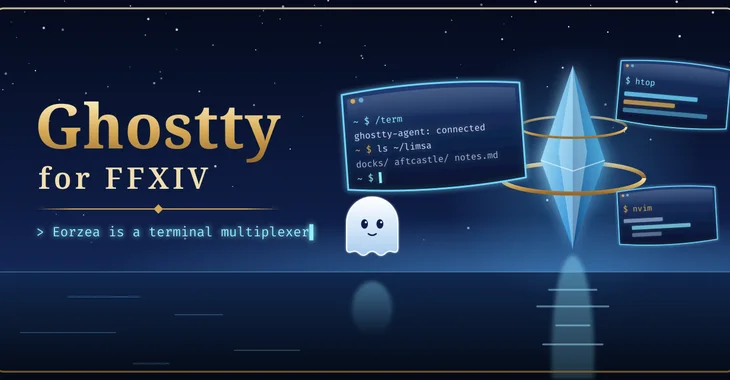
Eorzea is a terminal multiplexer
A real terminal inside Final Fantasy XIV. Drop it down over the game, float it as a window, pin it to a wall in Limsa, or let it follow you as a pet. The shells are your own, on your own machine.
released · experimental preview. Selected ground-placement and world-panel behavior was observed in earlier builds. The latest release changes, controller behavior and full window lifecycle still require live acceptance. Host tests do not certify every platform.
Ghostty draws a full terminal emulator inside the game, using libghostty-vt for the terminal state and Dalamud's ImGui draw lists for rendering. It is a real VT: run a shell, tmux, htop, nvim, or ssh somewhere else.
The plugin never opens a shell on its own. Under Wine on Linux or macOS it connects to ghostty-agent, a small separate process you start on the same machine, which hosts the sessions and keeps them alive while the game restarts. On native Windows it is designed to use a local ConPTY instead.
/term toggles it; /tomestone and /tome are aliases. Everything about how it looks and behaves is Lua you can override.
Built and covered by host-side tests unless a card says otherwise. Host tests do not prove in-game behaviour, so the tags say what is still unverified.
A Quake-style terminal that slides down over the game with Ctrl+`, with tabs, zoom, selection and copy and paste.
/term window opens terminals as ordinary in-game windows, each with its own profile: a POSIX shell through the agent, optional tmux, PowerShell or cmd.
/term pin here places a screen where you stand; Alt+drag carries it, Shift snaps it flat against a surface, and orbit pins circle your character.
/term pet makes a screen that follows you around, trails behind while you run, and settles when you stop.
Double-click a world screen and it flies to the centre of your view; again to send it back to where it lives.
needs validation in gameBacklight, time-of-day and weather tint, occlusion behind scenery, and a derez when combat starts. Screen shadows are experimental, off by default, and depend on a game function that a patch can break.
experimental/term config for settings; copy init.lua or keymap.lua into the plugin config folder to override anything. /term reload applies it live.
Five bell styles ripple from your character when a terminal rings. /term bell demo plays them all.
Ask a question from the chat box and a pet terminal opens with the answer streaming in, from your own local assistant through Almanac and XivMcp.
in developmentOn Linux, the agent can run a headless Wayland compositor and show real application windows as world panels. XivDesktop builds a launcher on top of it.
in developmentA showcase mode (/term showcase) for clean shots, and a moderated gallery to share them.
Tap, hold and double-tap gestures on a controller button; a server info bar entry; and an optional Umbra toolbar widget listing every terminal. The DualSense Create-button option is unverified under Wine.
partly unverifiedThe shot list is planned: each slot below names a shot that will be captured in game. Empty frames are placeholders, not broken images.
Loading the shot list…
Two ways, and both are kept on purpose: one click from the plugin repository, or build it from source and load it as a dev plugin.
Add the repository once; every mod here installs and updates like any other plugin.
https://spacegho.st/mods/ffxiv/plugins.json
/xlsettings → the Experimental tab./xlplugins → All Plugins → search Ghostty → Install.Ghostty has a stable release, so it shows under All Plugins straight away. For the newer test build ahead of the next release, tick Get plugin testing builds in the same tab, then Receive plugin testing versions on its entry. You still need ghostty-agent running for a POSIX shell.
Dalamud will warn you that this is a third-party repository nobody but its author has reviewed. That is true. The repository page says more, including how test builds work.
The dev plugin path: exactly the code in your checkout, no repository, no auto-update. It is how the author runs it, and the honest way to read the code before you trust it.
git clone https://github.com/Spaceghost/ghostty-dalamud
cd ghostty-dalamud
tools/fetch-vendor.sh
tools/build.sh
build/dist/ghostty-agent --listen 127.0.0.1:7777 &
tools/install-dev.shtoolchain.env. Dependencies are fetched at pinned revisions and verified.tools/install-dev.sh stages the plugin and prints the Wine Z: path to add. The loadable plugin is the whole build/dist/GhosttyDalamud/ folder: keep the DLLs, manifest and lua/ together./xlsettings → Experimental → Dev Plugin Locations → add the path of the built GhosttyDalamud.dll (under Wine, a Z:\… path) → + → Save and Close./xlplugins → Dev Tools → Installed Dev Plugins → enable Ghostty. Dev plugins are added disabled.If you later switch to the one-click install, disable the dev plugin first so the two copies cannot fight over the same name. The README has the details.
ghostty-agent running on the same machine. The agent stream is not encrypted; keep it on loopback (the default) or behind an ssh -L tunnel.Screenshots of Ghostty shared by players. Every one is reviewed by the site owner before it is shown here.
Loading…
Sharing a screenshot needs a sign-in, so that everything sent to this site comes from an account.
Signing in with FFXIV needs an XIVAuth account and shares no character.
Hide your own name and chat first, and never share a terminal showing tokens or private paths. Metadata is stripped from the image before it is stored. Your upload is linked to your GitHub or XIVAuth account id, which the site owner can see; the public sees only the image and the credit you typed. To have a shot removed, contact the owner through github.com/Spaceghost.
Reviewed . Release availability and live verification are tracked separately.
Selected ground-placement and world-panel behavior was observed in earlier builds. The latest release changes, controller behavior and full window lifecycle still require live acceptance. Host tests do not certify every platform.
Voted feature queue · Vote on features · Source and build instructions
Privacy. Ghostty runs on your machine and talks only to the agent you started. It does not fetch anything in the background; its vote link opens this site in your browser, and a screenshot is sent here only when you choose to share it. A terminal can show private things: look before you share a shot.
This page is counted, without cookies and without anything that identifies you: what this site counts. It loads nothing from any other site.
Made by Johnneylee Jack Rollins · github.com/Spaceghost. FINAL FANTASY XIV is © SQUARE ENIX; these are unofficial fan plugins and are not endorsed by SQUARE ENIX.