Launcher palette
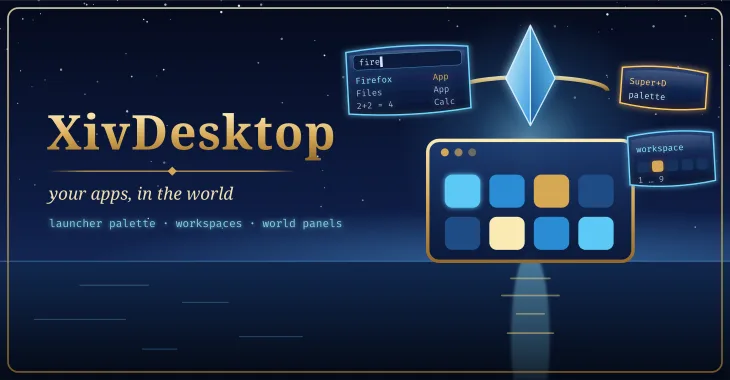
Super+D or /desktop: one query box over apps, open panels, actions, commands and a calculator, with fuzzy matching and prefixes (a: w: = >). Fully usable without a mouse.
Dalamud plugin · Linux desktop
Your Linux desktop, inside the game
For the game running under Wine on Linux: a launcher, workspaces and a taskbar for your real desktop applications, opened as windows in the game world. It draws no windows itself; it is the desktop on top of Ghostty's world panels.
released · broader in-game checks pending. The app scanner and core logic have host-side tests. Live application windows, Wine input, workspaces, NPC/session interfaces and Umbra widgets still require acceptance.
Wine maps the Linux root to drive Z:, so the plugin reads your .desktop files and icons straight from the host. When you launch something, ghostty-agent starts it on the host inside a headless Wayland compositor, and Ghostty shows its window as a pet panel beside your character.
XivDesktop adds what a desktop has and a terminal command does not: an app catalog with icons, search, favourites and recents; a launcher palette; sway-style key chords; nine workspaces; open and close notifications; and IPC so other plugins and MCP tools can drive it.
Everything below is built and its logic is host-tested; none of it has been observed in game yet.
Super+D or /desktop: one query box over apps, open panels, actions, commands and a calculator, with fuzzy matching and prefixes (a: w: = >). Fully usable without a mouse.
/desktop apps: an icon grid of the host's applications with search, favourites and recents.
Sway style. Every window panel belongs to one; Super+1…9 switches and hides the others, Super+Shift+number moves a panel.
unverified in gameFrom the palette: focus, pet or pin, dock to the HUD, minimise, close and reorder, each with a key.
unverified in gameTwo optional Umbra toolbar widgets: an app menu, and a taskbar of the open window panels with the workspace number.
unverified in gameA Dalamud notification when a window opens or closes.
unverified in gameXivDesktop.v1.* gates to list windows, launch apps, switch workspaces and search the palette, meant for XivMcp tools.
It never sets an ImGui cursor of its own, and asks Dalamud to leave the game's cursor alone over its windows.
unverified in gamePlanned shots. Empty frames are placeholders for screenshots and clips that will be captured in game.
Loading the shot list…
Two ways, and both are kept on purpose: one click from the plugin repository, or build it from source and load it as a dev plugin.
Add the repository once; every mod here installs and updates like any other plugin.
https://spacegho.st/mods/ffxiv/plugins.json
/xlsettings → the Experimental tab./xlplugins → All Plugins → search XivDesktop → Install.XivDesktop has a stable release, so it shows under All Plugins straight away. For the newer test build ahead of the next release, tick Get plugin testing builds in the same tab, then Receive plugin testing versions on its entry. It needs Ghostty too.
Dalamud will warn you that this is a third-party repository nobody but its author has reviewed. That is true. The repository page says more, including how test builds work.
The dev plugin path: exactly the code in your checkout, no repository, no auto-update. It is how the author runs it, and the honest way to read the code before you trust it.
git clone https://github.com/Spaceghost/xivdesktop-dalamud
cd xivdesktop-dalamud
tools/install-dev.sh # or: dotnet build XivDesktop.slnx -c Releasetools/install-dev.sh builds Release, stages it outside the checkout, and prints the Wine path. It never edits Dalamud's configuration./xlsettings → Experimental → Dev Plugin Locations → add the path of the built XivDesktop.dll (under Wine, a Z:\… path) → + → Save and Close./xlplugins → Dev Tools → Installed Dev Plugins → enable XivDesktop. Dev plugins are added disabled.If you later switch to the one-click install, disable the dev plugin first so the two copies cannot fight over the same name. The README has the details.
Screenshots of XivDesktop shared by players. Every one is reviewed by the site owner before it is shown here. Every mod's are in the gallery, and what XivDesktop should do next is up for a vote.
Loading…
Sharing a screenshot needs a sign-in, so that everything sent to this site comes from an account.
Signing in with FFXIV needs an XIVAuth account and shares no character.
Hide your own name and chat first, and never share a terminal showing tokens or private paths. Metadata is stripped from the image before it is stored. Your upload is linked to your GitHub or XIVAuth account id, which the site owner can see; the public sees only the image and the credit you typed. To have a shot removed, contact the owner through github.com/Spaceghost.
Reviewed . Release availability and live verification are tracked separately.
The app scanner and core logic have host-side tests. Live application windows, Wine input, workspaces, NPC/session interfaces and Umbra widgets still require acceptance.
Voted feature queue · Vote on features · Source and build instructions
Privacy. XivDesktop reads your application list from your own disk and talks only to Ghostty on the same machine. It sends nothing anywhere. A desktop window can show private things: look before you share a shot.
This page is counted, without cookies and without anything that identifies you: what this site counts. It loads nothing from any other site.
Made by Johnneylee Jack Rollins · github.com/Spaceghost. FINAL FANTASY XIV is © SQUARE ENIX; these are unofficial fan plugins and are not endorsed by SQUARE ENIX.