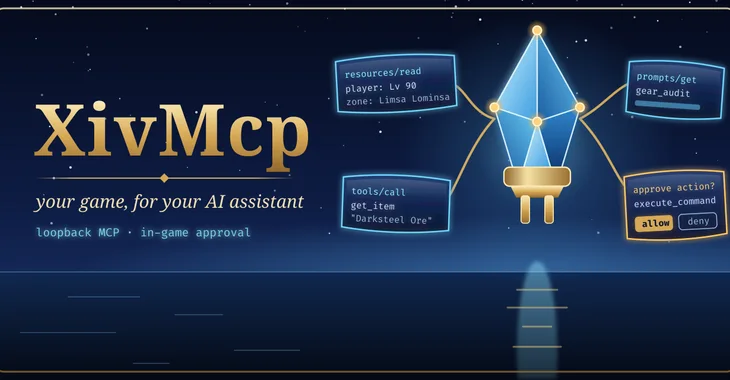
A Model Context Protocol server inside the game. AI clients on your machine, such as Claude Code, Codex or Almanac, can look up items, read your location and inventory, and flag your map. Anything that would change your game waits for your approval, in game.
released · selected in-game calls verified. Selected game-state calls were observed in earlier builds. The latest testing package has offline validation; loading it, approvals and current HUD-family integration still require live acceptance.
What it does
MCP is the protocol AI clients use to call tools. XivMcp is an MCP server that lives inside the game client as a Dalamud plugin and listens on loopback (http://127.0.0.1:41800/mcp), protected by a bearer token it generates on first load. Under Wine, loopback inside the game is the host's loopback, so a client on the same machine connects directly.
The available tools depend on the build, enabled permissions and installed providers. Use the server’s tools, resources and prompts listings for the active catalogue. Providers cover game data, your character and inventory, location, weather, opt-in chat and local UI actions.
Combat rotations, movement and input automation of any kind are out of scope, by design.
Features
The capabilities below have host-side coverage. Selected earlier game-state calls were observed; approvals and the latest integration still need live acceptance.
Four permission tiers
Read and Ui are on by default. Action (targeting, gearsets, teleport, slash commands) and Chat (text other players can see) are off until you turn them on. A disabled tier is hidden from the client and rejected on call.
unverified in game
Approval in game
Each Action or Chat call waits for a confirmation window showing the tool, the client and its arguments: Allow, Deny, or Allow this tool for 10 min. Unanswered calls are denied after 20 seconds.
unverified in game
Game data search
Items, recipes, quests, duties and actions by name, ranked; any Excel sheet by row. Works at the title screen.
unverified in game
Your character, read-only
Player, target, job gauge and levels, equipment, inventory, retainers, currencies, party, collections, quest progress, aetherytes, nearby objects and FATEs.
unverified in game
The agent board
Agents call post_status to show progress bars inside your game, with a notification when one finishes or fails.
unverified in game
Loopback only, token required
Binds 127.0.0.1. Any other host is shown with a red warning, and the server refuses to start on a non-loopback host without a token. Cross-origin browser requests are refused.
One-command client setup
tools/claude-mcp-add.sh registers it with Claude Code through a helper that reads the token at connect time, so the token is never printed or stored in the client's config.
Umbra widget
An optional Umbra toolbar widget with server status and the agent board.
unverified in game
Screenshots and clips
Planned shots. Empty frames are placeholders for screenshots and clips that will be captured in game.
Loading the shot list…
Install
Two ways, and both are kept on purpose: one click from the plugin repository, or build it from source and load it as a dev plugin.
One click
Add the repository once; every mod here installs and updates like any other plugin.
https://spacegho.st/mods/ffxiv/plugins.json
In game, type /xlsettings → the Experimental tab.
Under Custom Plugin Repositories, paste the URL into the empty row, press +, and leave its checkbox ticked.
Save and Close.
/xlplugins → All Plugins → search XivMcp → Install.
XivMcp has a stable release, so it shows under All Plugins straight away. For the newer test build ahead of the next release, tick Get plugin testing builds in the same tab, then Receive plugin testing versions on its entry.
Dalamud will warn you that this is a third-party repository nobody but its author has reviewed. That is true. The repository page says more, including how test builds work.
Build it yourself
The dev plugin path: exactly the code in your checkout, no repository, no auto-update. It is how the author runs it, and the honest way to read the code before you trust it.
Needs the .NET 10 SDK and Dalamud's reference assemblies, which an XIVLauncher install already has. Rebuild after every Dalamud update.
tools/install-dev.sh (Linux) builds Release, stages it outside the checkout so Dalamud never sees a half-written build, and prints the Wine path. It never edits Dalamud's configuration.
In game: /xlsettings → Experimental → Dev Plugin Locations → add the path of the built XivMcp.dll (under Wine, a Z:\… path) → + → Save and Close.
/xlplugins → Dev Tools → Installed Dev Plugins → enable XivMcp. Dev plugins are added disabled.
Rebuilt while the game is running? Press the reload arrow on its entry. No relaunch.
If you later switch to the one-click install, disable the dev plugin first so the two copies cannot fight over the same name. The README has the details.
Requirements
Final Fantasy XIV with XIVLauncher and Dalamud (API level 15).
An MCP client on the same machine that speaks Streamable HTTP: Claude Code, Codex, Almanac, or anything that takes an mcpServers block.
Screenshots of XivMcp shared by players. Every one is reviewed by the site owner before it is shown here. Every mod's are in the gallery, and what XivMcp should do next is up for a vote.
Loading…
Add yours
Sharing a screenshot needs a sign-in, so that everything sent to this site comes from an account.
Signing in with FFXIV needs an XIVAuth account and shares no character.
Hide your own name and chat first, and never share a terminal showing tokens or private paths. Metadata is stripped from the image before it is stored. Your upload is linked to your GitHub or XIVAuth account id, which the site owner can see; the public sees only the image and the credit you typed. To have a shot removed, contact the owner through github.com/Spaceghost.
The new HUD integration discovers XivHud, Journal and Character independently. It reads readiness, UI selection and requested versus actual window modes. Approved operations open a quest or Character page, set a local bookmark, restore the game HUD or return a window to the screen. Request results confirm processing; presentation is checked separately.
Meet the HUD family. HUD module loading and read-only IPC snapshots were checked. The current MCP testing package, approved UI mutations and actual presentation still require live acceptance.
Releases and next checks
Reviewed . Release availability and live verification are tracked separately.
Selected game-state calls were observed in earlier builds. The latest testing package has offline validation; loading it, approvals and current HUD-family integration still require live acceptance.
Privacy. XivMcp listens on your own machine and sends nothing anywhere by itself. What leaves your machine is up to the AI client you connect: a cloud model sees whatever game state its tool calls return, including chat lines if you allow the chat category. A local model through Almanac keeps it all on your PC.
This page is counted, without cookies and without anything that identifies you: what this site counts. It loads nothing from any other site.