Setup wizard
/almanac setup finds model servers on their usual local ports, reads your GPU and VRAM, subtracts what the game needs when both share the card, and recommends models that fit.

Dalamud plugin · local AI
Local AI for FFXIV, on your own GPU
An in-game chat with a model running on your own PC: Ollama, LM Studio, llama.cpp, or anything with an OpenAI-compatible API. A wizard fits a model to your GPU, XivMcp gives it the game's tools, and a shared benchmark tells everyone which local models are worth their VRAM. No cloud, no Python.
stable and testing builds · live coverage remains limited. Core model, MCP, thread and benchmark logic has host-side tests. In-game UI, GPU detection, live model/tool calls and benchmark output still require acceptance.
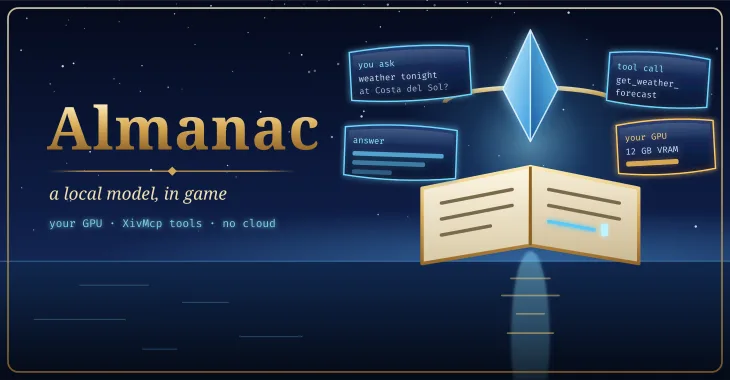
Almanac connects a language model that runs on your machine to the game. You ask a question in game, the model decides which of XivMcp's tools to call (where am I, what is the weather, what does this recipe need), and the answer streams back into the chat window. Anything that would change your game still goes through XivMcp's in-game approval.
Because local models vary wildly, Almanac includes a fixed benchmark of FFXIV tasks. Players who choose to share their results build the community leaderboard, and the wizard's recommendations come from it.
The same repository also holds the Almanac engine, a headless local AI tool runner for Linux machines. Players do not need it.
Built and unit-tested outside the game; not yet verified in game.
/almanac setup finds model servers on their usual local ports, reads your GPU and VRAM, subtracts what the game needs when both share the card, and recommends models that fit.
/almanac or /almanac <question>: threads kept in SQLite, follow-ups, branching from any message, streaming replies.
The agent loop runs in the plugin against your model with a small, standard or full set of XivMcp's tools. XivMcp hands Almanac its own client token over Dalamud IPC, so nothing is copied by hand.
unverified in gameEvery model shows whether it calls tools natively, through a prompted fallback, or is unknown until you press Test tool calling.
unverified in game/almanac bench runs the ffxiv-core suite with mock game data or live through XivMcp: tool-call validity, answer quality, tokens per second, time to first token and peak VRAM.
Results stay on your PC until you press Share and confirm the exact JSON that will be sent.
unverified in gameShared results become per-VRAM-tier recommendations on the public leaderboard, which the wizard reads.
releasedAlmanac.Ask lets another plugin open the chat with a question.
Planned shots. Empty frames are placeholders for screenshots and clips that will be captured in game.
Loading the shot list…
Two ways, and both are kept on purpose: one click from the plugin repository, or build it from source and load it as a dev plugin.
Add the repository once; every mod here installs and updates like any other plugin.
https://spacegho.st/mods/ffxiv/plugins.json
/xlsettings → the Experimental tab./xlplugins → All Plugins → search Almanac → Install.Almanac has a stable release, so it shows under All Plugins straight away. For in-game tools it also needs XivMcp, which is in the same repository.
Dalamud will warn you that this is a third-party repository nobody but its author has reviewed. That is true. The repository page says more, including how test builds work.
The dev plugin path: exactly the code in your checkout, no repository, no auto-update. It is how the author runs it, and the honest way to read the code before you trust it.
git clone https://github.com/Spaceghost/almanac-dalamud
cd almanac-dalamud
dotnet build dalamud/Almanac.Dalamud.slnx -c Releasedalamud/tools/fetch-dalamud.sh downloads the public distribution. Works from a Windows checkout too.../almanac-dalamud-build/artifacts/bin/Almanac.Plugin/release/. Point Dalamud at that folder, not at a copy of the DLL alone./xlsettings → Experimental → Dev Plugin Locations → add the path of the built Almanac.dll (under Wine, a Z:\… path) → + → Save and Close./xlplugins → Dev Tools → Installed Dev Plugins → enable Almanac. Dev plugins are added disabled.If you later switch to the one-click install, disable the dev plugin first so the two copies cannot fight over the same name. The README has the details.
Screenshots of Almanac shared by players. Every one is reviewed by the site owner before it is shown here. Every mod's are in the gallery, and what Almanac should do next is up for a vote.
Loading…
Sharing a screenshot needs a sign-in, so that everything sent to this site comes from an account.
Signing in with FFXIV needs an XIVAuth account and shares no character.
Hide your own name and chat first, and never share a terminal showing tokens or private paths. Metadata is stripped from the image before it is stored. Your upload is linked to your GitHub or XIVAuth account id, which the site owner can see; the public sees only the image and the credit you typed. To have a shot removed, contact the owner through github.com/Spaceghost.
Reviewed . Release availability and live verification are tracked separately.
Core model, MCP, thread and benchmark logic has host-side tests. In-game UI, GPU detection, live model/tool calls and benchmark output still require acceptance.
Voted feature queue · Vote on features · Source and build instructions
Privacy. Your chats go to the model server you chose, on your own machine, and stay in a SQLite file on your PC. The only thing Almanac fetches from this site is the public model recommendations. A benchmark result is sent only when you press Share and confirm it: GPU model, VRAM, rounded RAM, OS family, backend, model and scores, with no names, paths or addresses.
This page is counted, without cookies and without anything that identifies you: what this site counts. It loads nothing from any other site.
Made by Johnneylee Jack Rollins · github.com/Spaceghost. FINAL FANTASY XIV is © SQUARE ENIX; these are unofficial fan plugins and are not endorsed by SQUARE ENIX.