plugin · open source · experimental

XivHud · Windows
A window is not a terminal.
Floating plugin windows that hover near your character, trail movement on springs and settle in place. No Ghostty terminal required.
development · independent Dalamud module and optional Umbra toolbar plugin. Offline builds and tests cover the host, content and toolbar adapters. See the recorded screenshots and repository acceptance notes for the live checks and remaining limits.
Open the window
Float open plugin windows beside your character, in view, in the world or on the ground. No Ghostty or virtual terminal is required. Use /xivwindows or its optional Umbra.XivHud.Windows toolbar button. Each module works without Umbra.
The companion feel
Follow me hovers in an assigned area around your character. Windows trail your movement on Ghostty-style springs, swing slightly back while running and ease around you through turns, then settle. They never continuously circle. Hovering or focusing calms the small idle bob; Reduce motion removes trailing and bob. Turning the camera does not move their world positions. Ghostty’s existing windows keep their own behavior.
Independent floating presentation
Open /xivwindows, choose an open plugin window, then Float selected. Choose Follow me, View, Here or Ground. Screen returns one source; /xivwindows screen recovers all sources. Closing the host restores their ordinary screen rendering.
Development installation
The modules use the explicit development Dalamud repository. Umbra toolbar DLLs are separate assets in the same development release. Add the adapter DLL in Umbra Settings → Plugins, restart Umbra, then choose the widget in the toolbar editor.
Local and remote windows
Local plugin windows use the standalone texture host and allocate no terminal sessions. Ghostty keeps its existing terminal and remote-desktop panel behavior. This release does not export an in-game plugin window to a phone or another computer. That needs a separate authenticated stream transport; it is not implied by a local world placement.
World panels are projected overlays. Scene-depth occlusion, generic native-addon capture and physical controller acceptance are not established by these builds.
Install and build
Add https://spacegho.st/mods/ffxiv/plugins.json in Dalamud’s Experimental settings and enable plugin testing builds. These are experimental builds. The installation page explains the repository and the build-it-yourself path.
Dalamud API 15. The game module provides data and input; the optional Umbra plugin adds its toolbar button.
Build instructions and verification records are in the project README.
Screenshots and captures
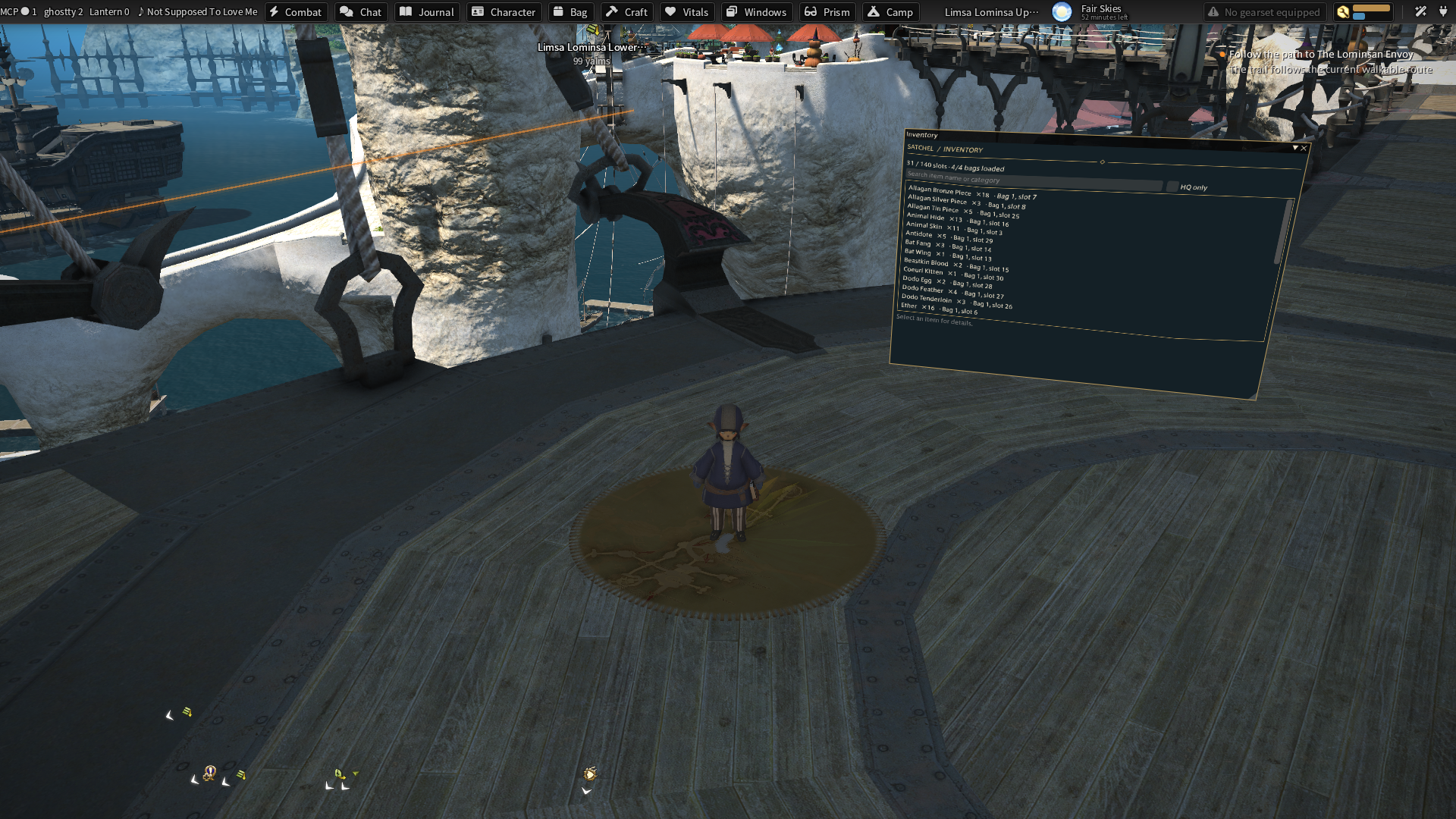
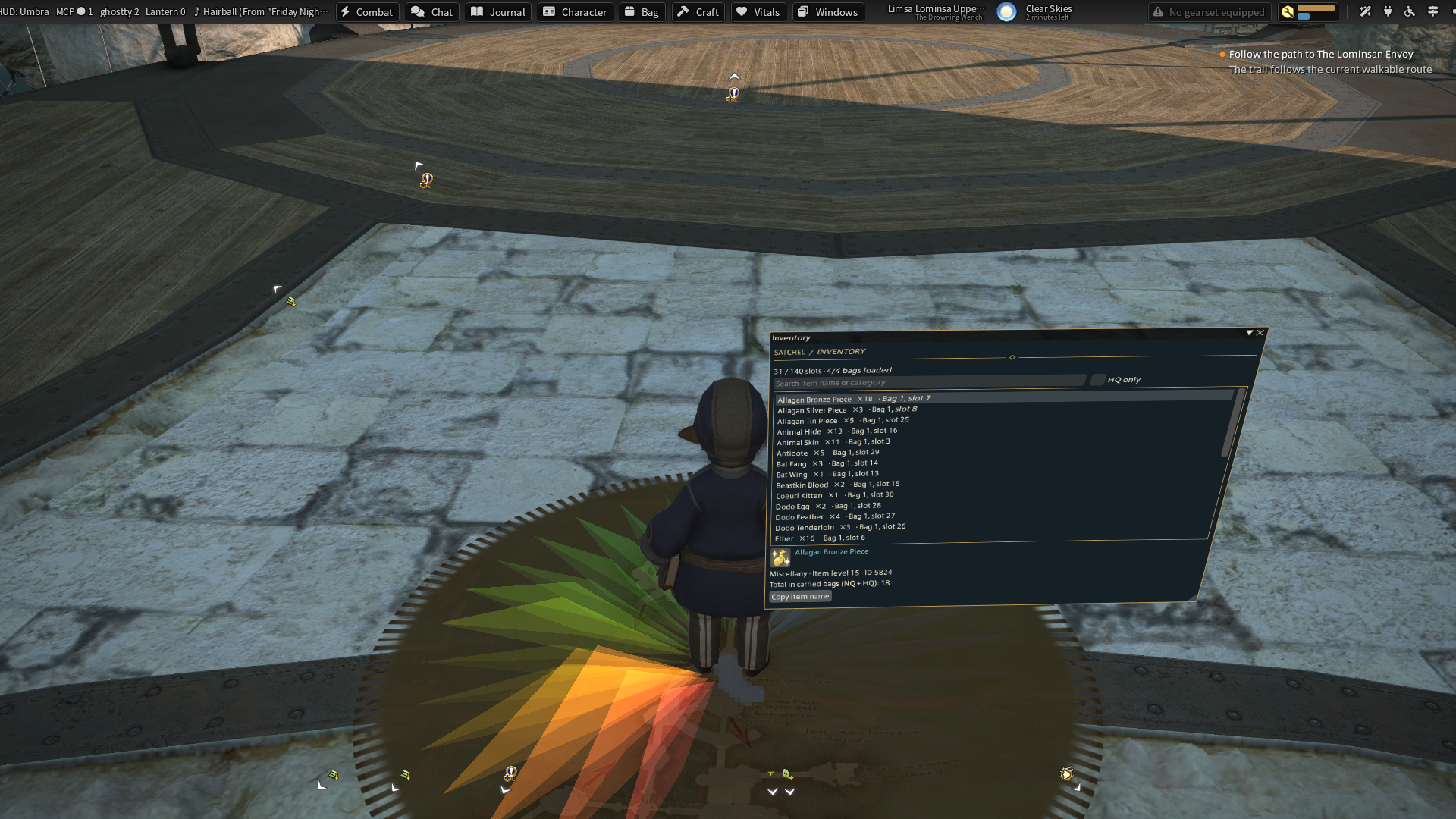
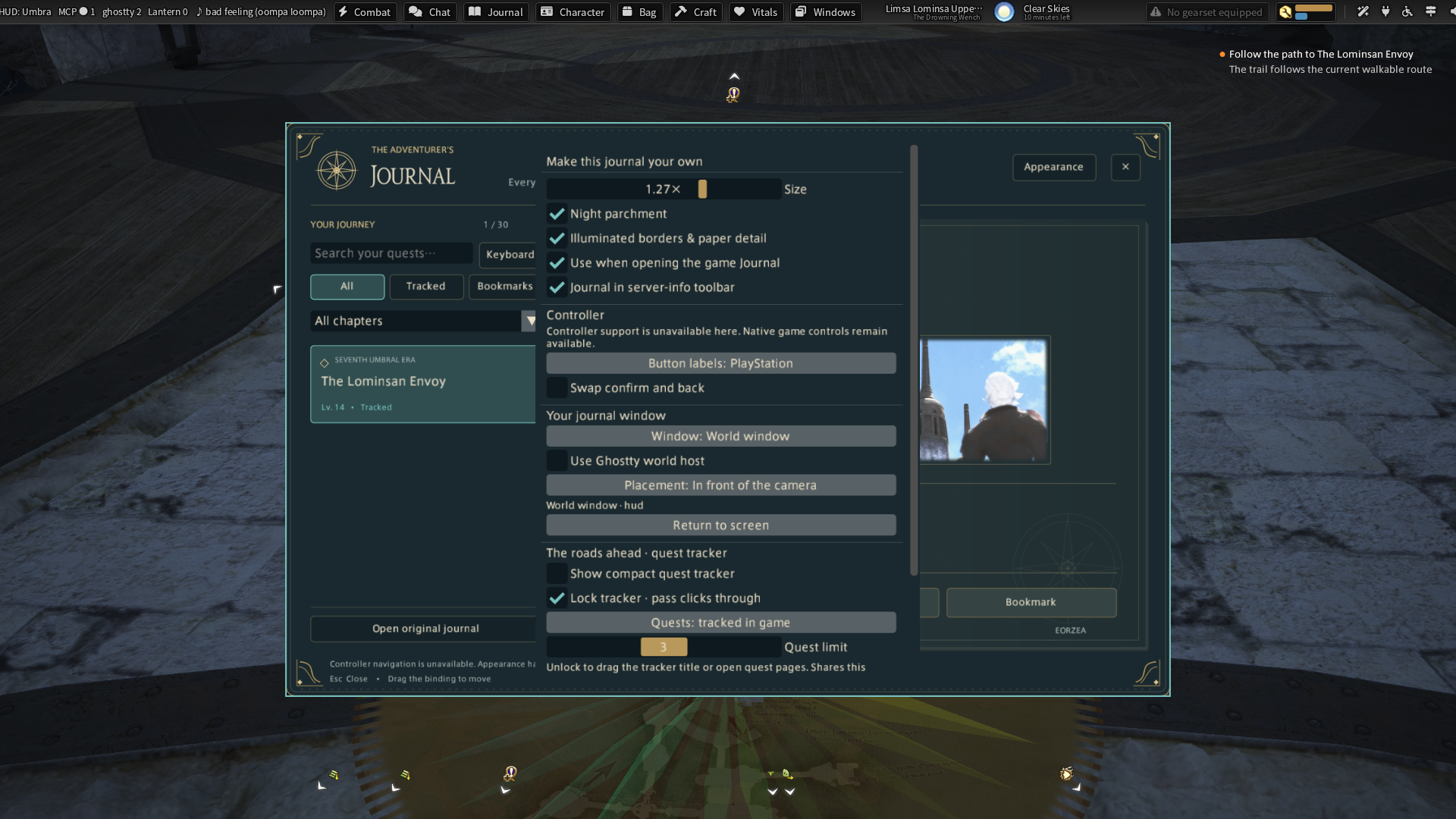
These images are recorded game captures. Captions identify live and sample data; a screenshot does not establish controller or gameplay acceptance.
Umbra UI family · HUD · Journal · Character · Developer libraries and IPC
Releases and next checks
Reviewed . Release availability and live verification are tracked separately.
- development: development · package 0.1.0.7
Offline builds and tests cover the host, content and toolbar adapters. See the recorded screenshots and repository acceptance notes for the live checks and remaining limits.